
In this post I will dig into an issue with creating SCCM Task Sequence Bootable Media. I have recently (21st March 2025) upgraded both my lab and main SCCM platforms from SCCM 2309 to 2409. Since this upgrade I have been unable to create SCCM Task Sequence Bootable Media for use with my remote CMG clients. This has been working for several years now without issue until this upgrade.
The lab SCCM platform used for this demonstration consists of a CAS and a Primary, my Secondary is currently decommissioned to save space, but normally I have one online. This small lab mirrors the three tier design of my main SCCM platform although the same issues discussed in this post are likely to also affect a two tier SCCM hierarchy.
As my main SCCM platform is very large and has complex requirements, I have a design that looks similar to the drawing below (albeit much larger). For a number of reasons that I won’t go into detail about here (else this post will go on forever), my Primary site management points are separated from the Primary site server itself. Each Primary has management point site system servers that flank the Primary site server. The MP role is not directly installed on the primary site server itself. My main and lab SCCM platforms are running full HTTPs communications using enterprise PKI and both platforms have a CMG.

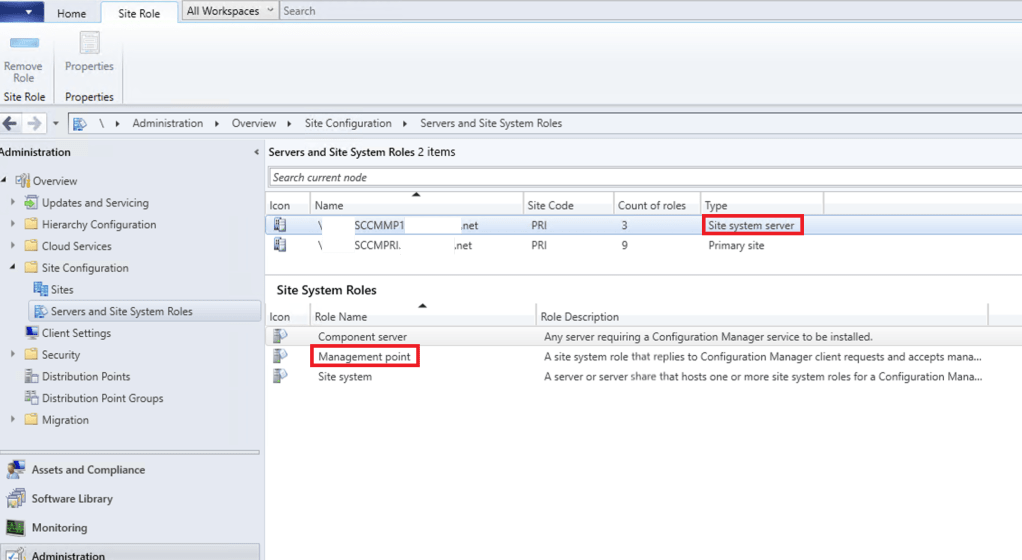
In my lab I have just a CAS and a single Primary with a management point site system server to simulate the behaviour of my main platform. The management point role is not installed on the Primary site server.

Instead, the Management point role is installed on the separate site system server as shown below.
Now that we have an idea of the basic architecture lets get down to business… I want to create an SCCM Task Sequence bootable media iso that I can use it to boot remote computers for OSD via my CMG.

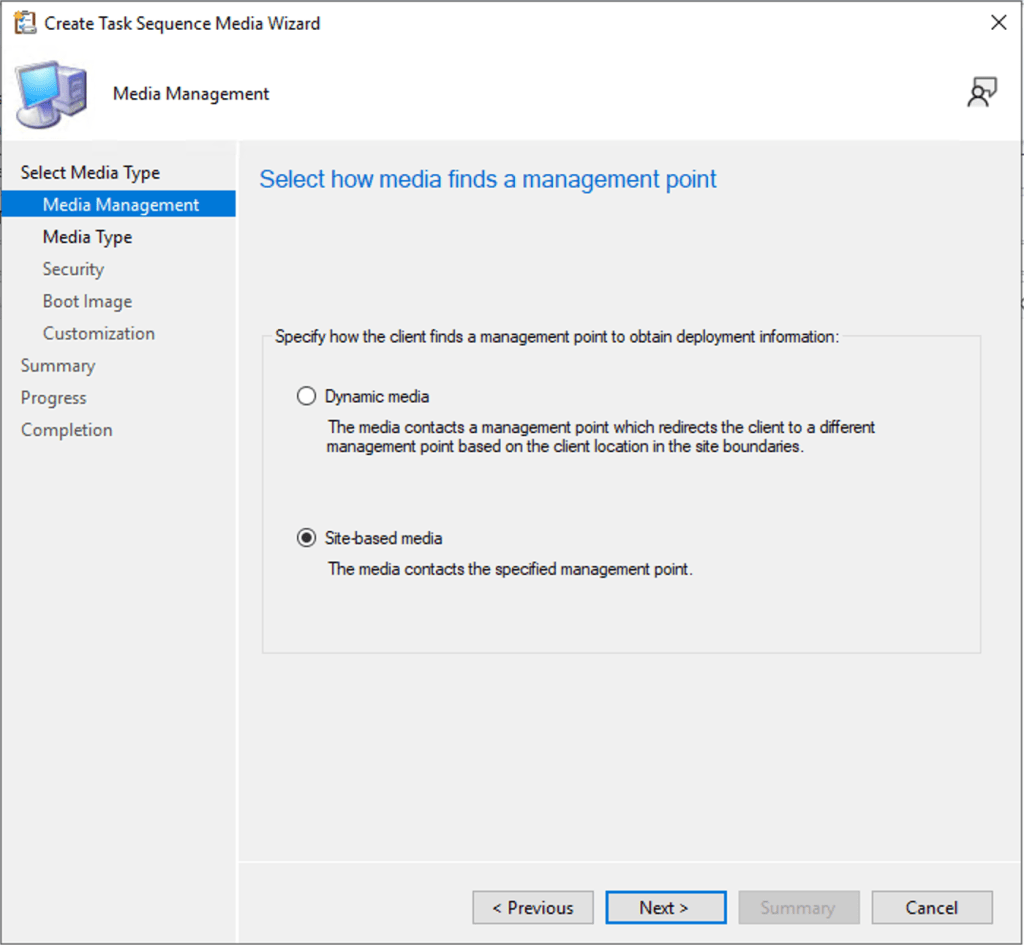
For remote boot media I use Site-based media only
I will save the ISO to my desktop

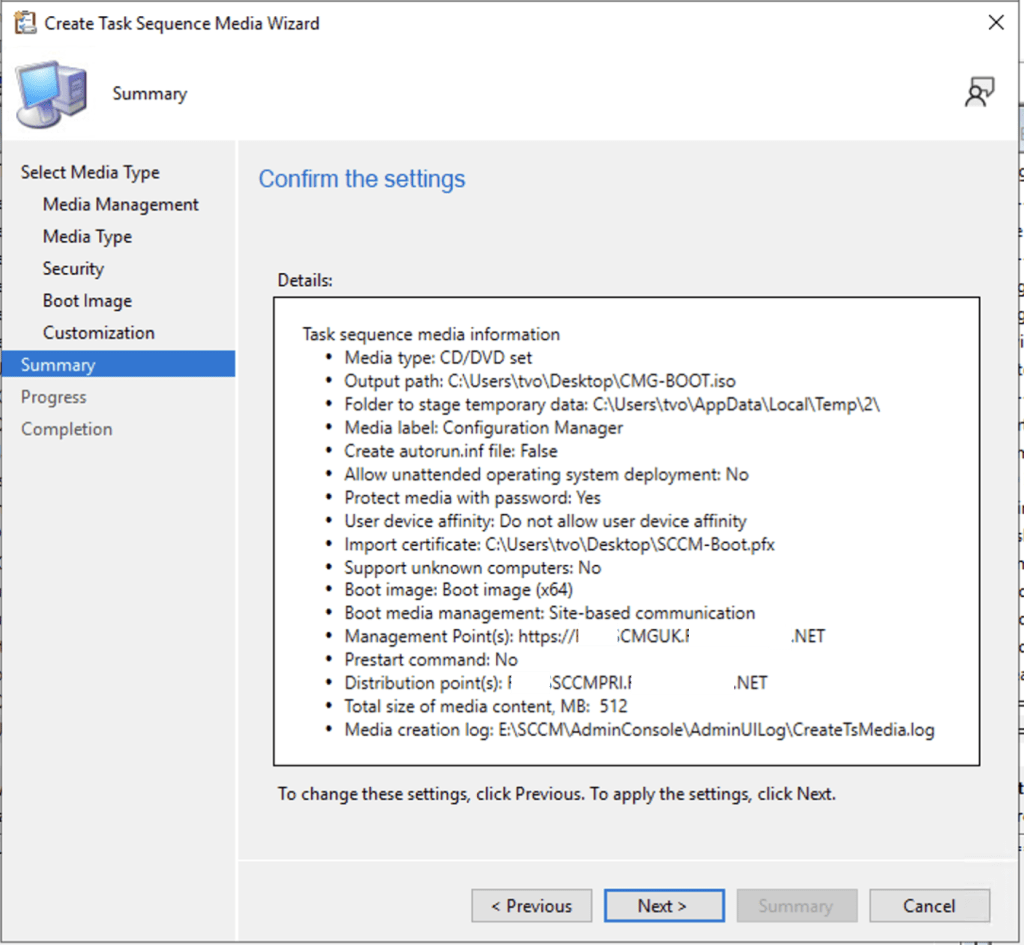
With the options below set correctly I click next…

I have created a Boot Image certificate, there are already a lot of posts and documents online covering how to do this so I won’t go into detail here. I select my certificate and enter the password.

I disable unknown computer support (as this will be used over the internet) to ensure that only known / pre-staged computers can be serviced by this boot media. I also protect the boot media with a password.

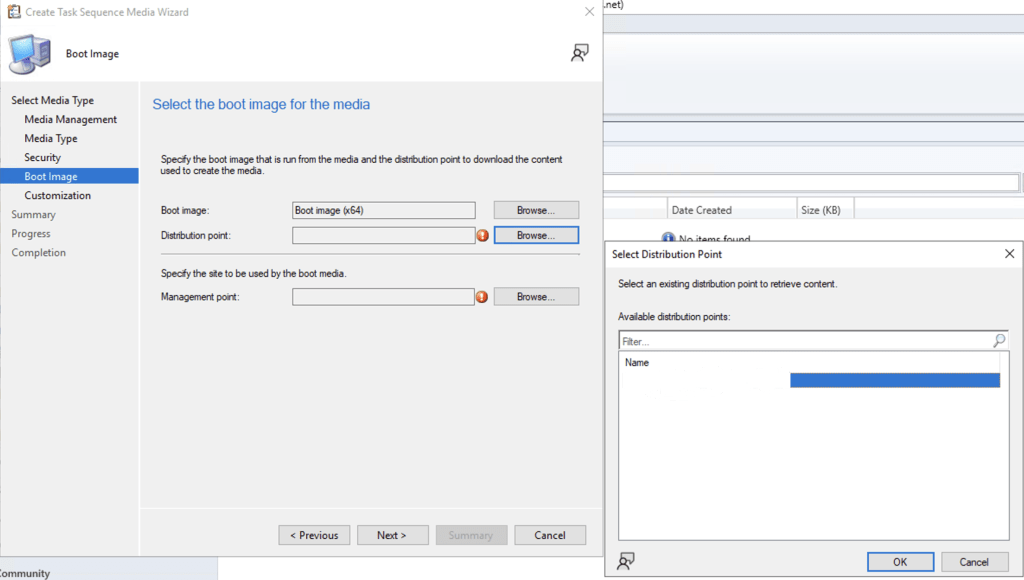
I select my x64 boot image

I choose a distribution point from which the media creation wizard can obtain the selected boot image.
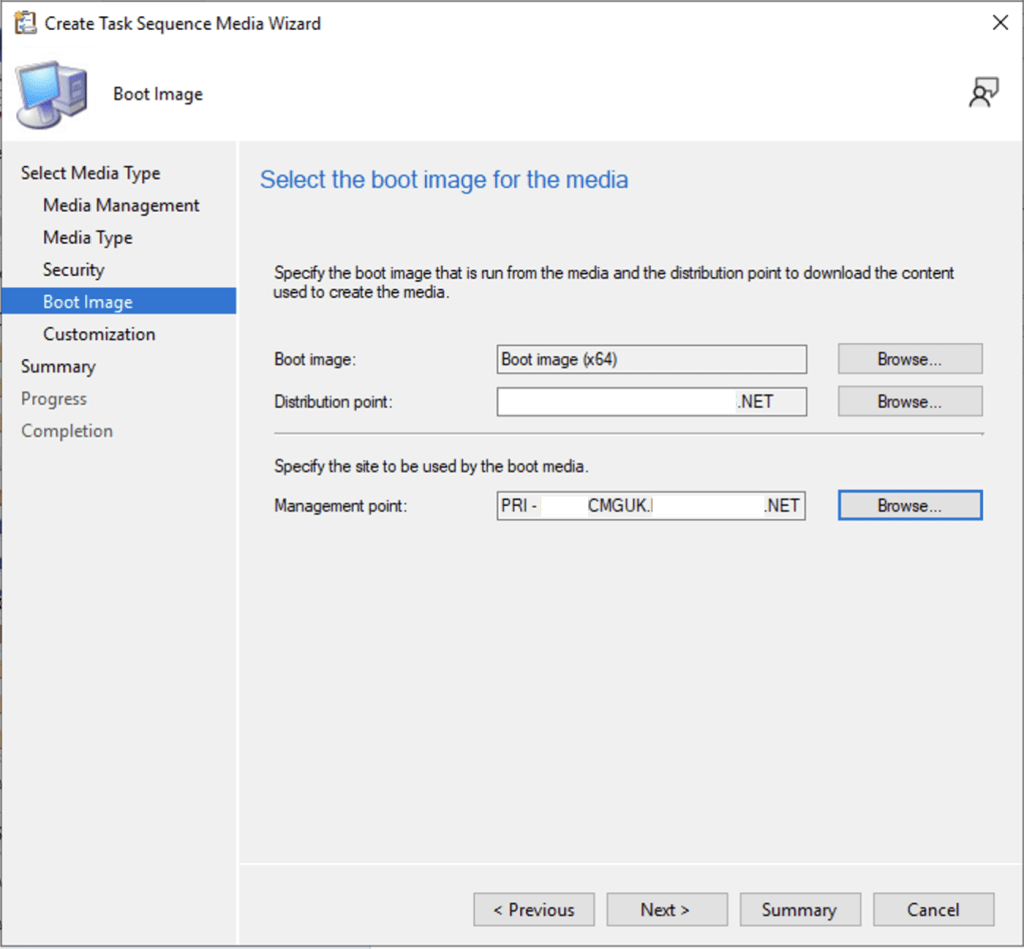
I select the my CMG from the list of management points so that remote clients can boot successfully.

With the Boot image, DP and MP selected I click next.
I don’t need to add any further customisations

Ok, so we are ready to create the boot media, lets click next to start the creation process.
Ohhhh 😦 the creation process failed….

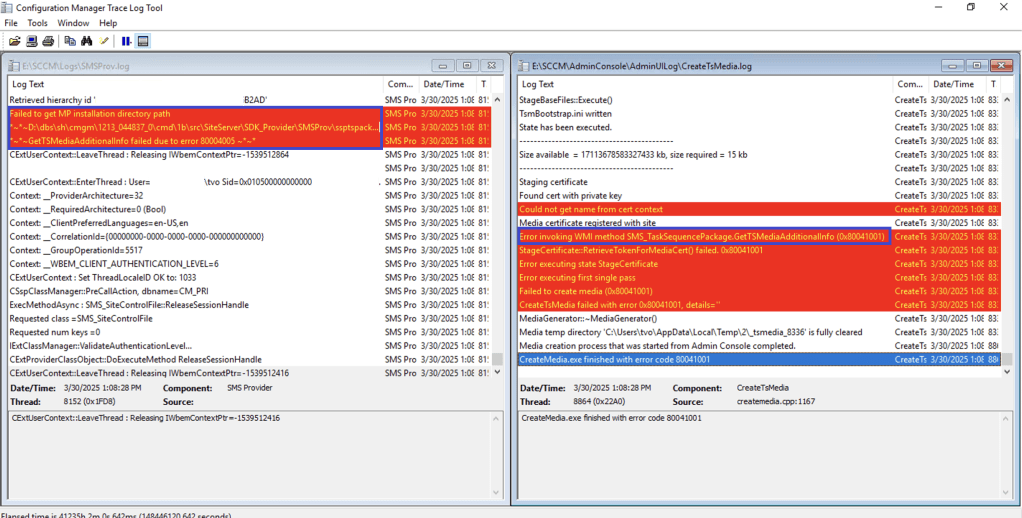
Hmmm.. -2147217407 (decimal) = 0x80041001 (hex) or WBEM_E_FAILED (0x80041001). It looks like we are going to have to dig into the logs to find out more.

Yep sure enough, CreateTsMedia.log says:
Error invoking WMI method SMS_TaskSequencePackage.GetTSMediaAdditionalInfo (0x80041001)
and SMSProv.log shows that it:
Failed to get MP installation directory path…
So what is the wizard actually trying to do at this point…? It is trying to create a token for use with the removable media. I created a little script to simulate this process and sure enough it fails to get a token.

We would expect Reserved1 to contain a JWT Webtoken but the method GetTSMediaAdditionalInfo isn’t working as expected so it’s blank.

This got me thinking.. looking back at the SMSProv.log and staring at it for a while… a long while… wondering why on earth it would be having issues finding the MP installation directory when the MP is healthy and functional, it occurred to me to check one of my other lab platforms.

My other lab has a much simpler design, its still a three tier hierarchy with CAS, PRI and Secondary only in this platform the MP role is hosted locally on the Primary Site server, there is no separate MP site system server. I tested the process quickly in this other lab and found that everything worked perfectly!!
So… I set about adding the MP role directly onto the primary site server in my main lab.
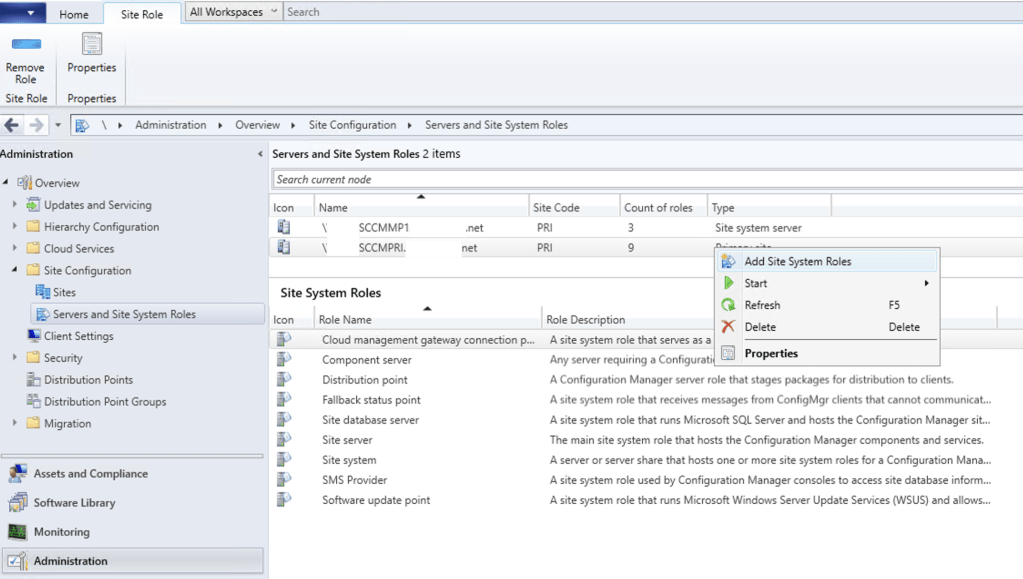
Selecting the MP role

We need to ensure that we allow CMG traffic…

I montior the MPSetup.log until I see that the MP role has been installed

I wait 5 minutes for the mpcontrol.log to state that its happy the MP is working properly…

Ok, moment of truth… I rerun my test script and….

With a locally installed management point our custom script now works!! Or more specifically the GetTSMediaAddionalInfo method now works correctly. We are able to generate a token and decode it to have a peek at its information.

Converting the epoch times for nbf, exp and iat, we can see that the token is valid for 60 days from the time that it’s created.

finally I rerun the Create Task Sequence Media Wizard to check that it works and… sigh… I can now create CMG boot media again!
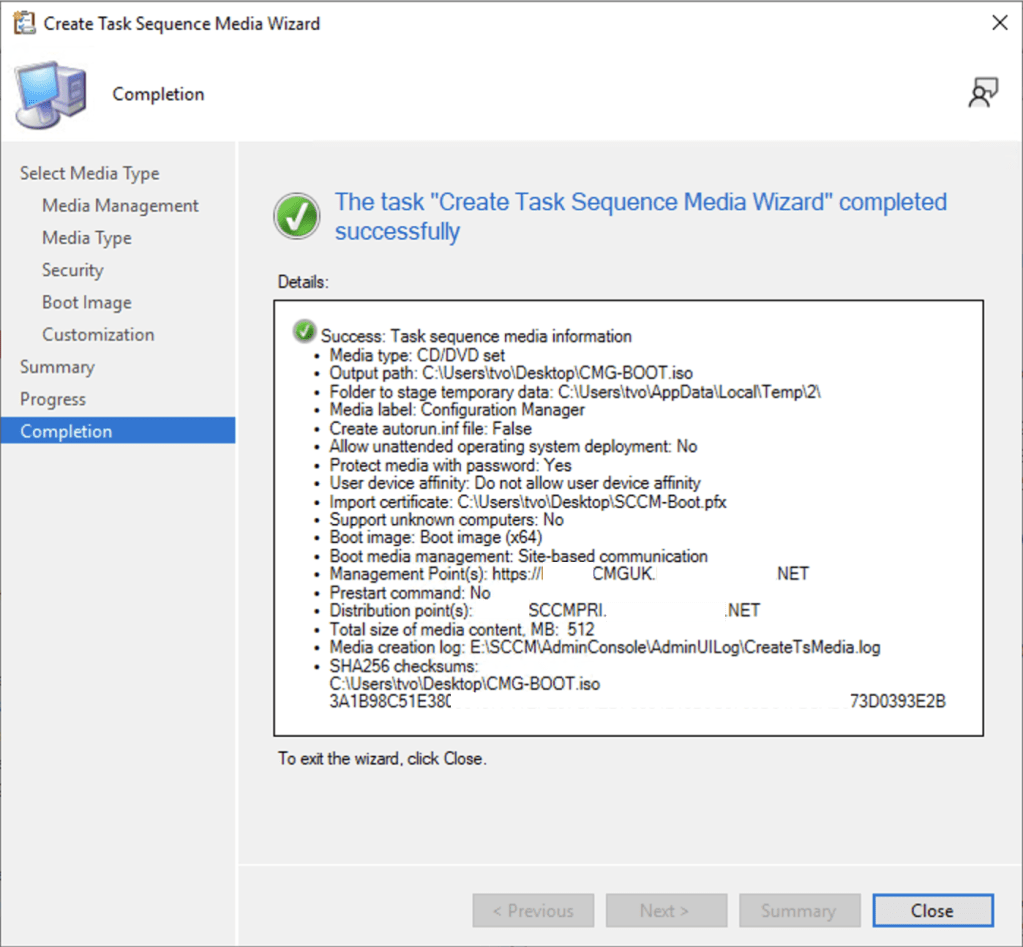
reviewing the CreateTsMedia.log and the SMSProv.log we can see that its much happier now that it has access to a management point locally installed on the primary.

So…. it appears that something has been changed between SCCM 2309 and SCCM 2409. Specifically, either the GetTSMediaAddionalInfo method has been updated or perhaps it has been added..? I haven’t done this level of research on a 2309 platform yet to see if it was even present or how it behaved. I do plan to do this as I’m intrigued by this now so I will update this post with more info on that later.
In summary, whereas previously it was possible to create Standalone SCCM Boot media for the CMG without having the management point role co-hosted on the primary site server… it now appears that this is not possible.
I have a case open with Microsoft and will update this post with the results of that discussion. It appears that this was either changed by accident, in which case I will report a bug, or it was changed on purpose in which case I will request a documentation update.
 theverboseoutput